Today, Apple Fixed Siri
…and finally made its AI strategy clear

Two years ago, at Apple’s Worldwide Developers Conference 2024 (WWDC), a representative presented an astonishing demo.
“Siri, when is my mom’s flight landing?” she said.
In a blink, Siri found the flight details in an email from her mom, checked the flight’s progress online, and displayed the updated landing time.
Never once did the rep open the Mail, Messages, or Maps apps, go online, or search for anything. This was beyond ChatGPT; it was AI as your agent. This new, AI-based Siri would be able to see into your apps: your calendar, email, messages, and so on. It would have full (but private) knowledge of your email, messages, and files.
Fans lost their minds. Investors drove Apple’s total stock valuation up $200 billion, the biggest gain in Apple’s history.
And then…nothing. Apple never mentioned the feature again. It was vaporware.
There were accusations that Apple had faked the demo, and even class-action lawsuits. Internally, the project was in trouble. There were changes in direction and reassigned executives.
Two years went by.
Today, at WWDC 2026, Apple revealed that it has finally built what it had promised: a new, AI-powered Siri.
Rather than building its own AI model, which would be a lengthy, expensive project, Apple struck a deal to use Google’s Gemini as Siri’s engine.
What’s wild is that, in that deal, Google agreed to use Apple’s privacy structures. Easy tasks are performed right on your phone—not transmitted, shared, saved, or used for future AI training. Harder requests are transmitted, encrypted, to a data center, but are still not saved or shared, even by Apple. (And if you don’t trust Apple when it says that, Apple invites you to inspect its server systems yourself. If you find any flaw, Apple maintains a $1 million bounty program.)
In July, the new Siri will be available to anyone willing to beta test; in the fall, it becomes part of OS 27, on all Apple devices. Today, in an 80-minute filmed presentation, Apple demonstrated what it can do.
This time, a split screen made it very clear that this was no simulation or fakery; you see real software on a real phone in the presenter’s real hand. Apple didn’t even edit down the long pauses while this early-version Siri does its thinking.
So what, exactly, did we see? I’ll save you watching the 80-minute show on YouTube: Here are the highlights.
Siri AI
The long-awaited Siri AI has come true. You say, “Where is Casey’s new place?”, and Siri shows you Casey’s address—which it knows because Casey mentioned it a few weeks ago in a text message. (And then you can say: “Give me directions to the Meadowlands, with a stop at Casey’s place.”)
Or you can say, “What was that movie that Robin mentioned?” Boom: Siri finds it in your email or messages.
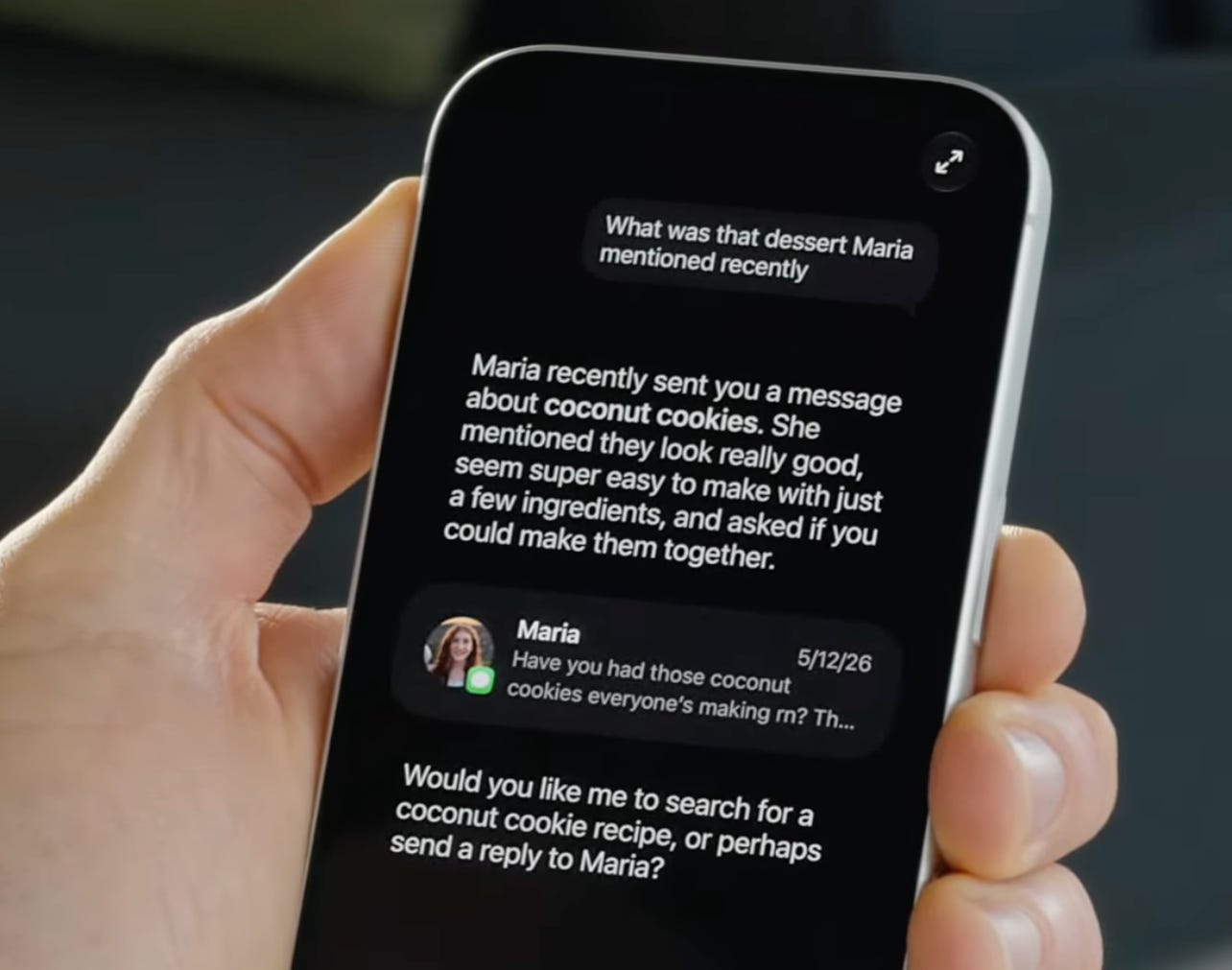
This alone is a game changer. People will use it a lot.
To make it work, Apple also had to fix one of its most broken features: Search. (“We’ve all had that moment,” says the spokesperson, “where you search for something you know is there, but it just won’t show up.” Oh, you guys noticed!?) Finally, Apple says, that’s fixed. When you search for files, email, or photos, you’ll get what you want, right away.
You’ll trigger Siri the same ways you always did, by saying “Hey Siri” or, for example, pressing the phone’s side button. If you’d rather type your request than speak it, you can swipe down from the top center of the phone’s screen. (That gesture used to produce your recent notifications list; now, you’ll swipe from the top left of the screen to see them.)
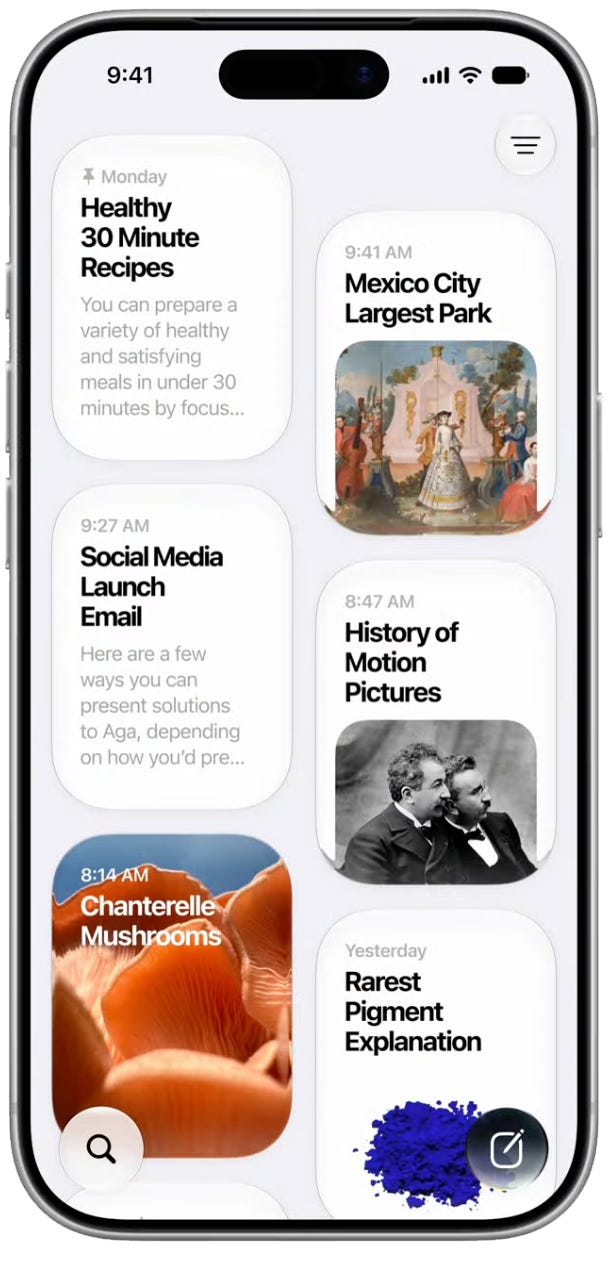
There’s also a new, dedicated Siri app, whose purpose is to round up all of your various queries over time. It lets you return to, or continue, an earlier conversation.
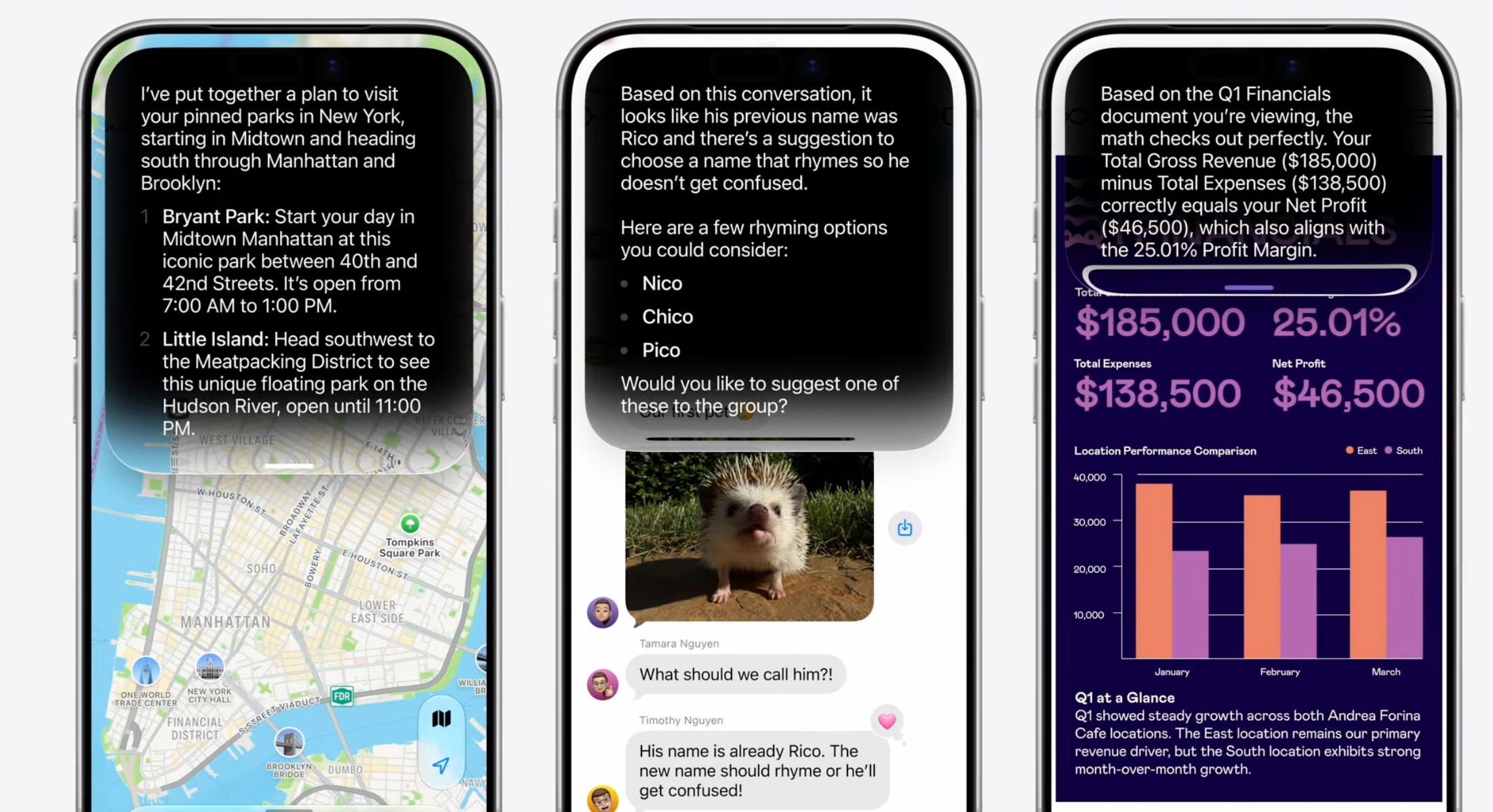
At the moment, when you ask Siri something beyond its capability, it punts, showing you only a bunch of web links. No more! Now you’ll get an actual answer—although, of course, with a chance that AI made it up. (Google estimates that 15% of its Gemini answers are wrong.)
Siri also does everything else you’d expect from ChatGPT (or, rather, Google Gemini). For example, it can now compose entire emails and texts for you, making an effort to mimic the writing style you’ve already established with each correspondent. It can proofread as you go, flagging errors as you type.
When Siri speaks, it sounds much more lifelike—and you can dial up whatever speed or expressivity level you want for its voices.
And, thank god, Apple says that dictation will be far more accurate than it is today, complete with punctuation.
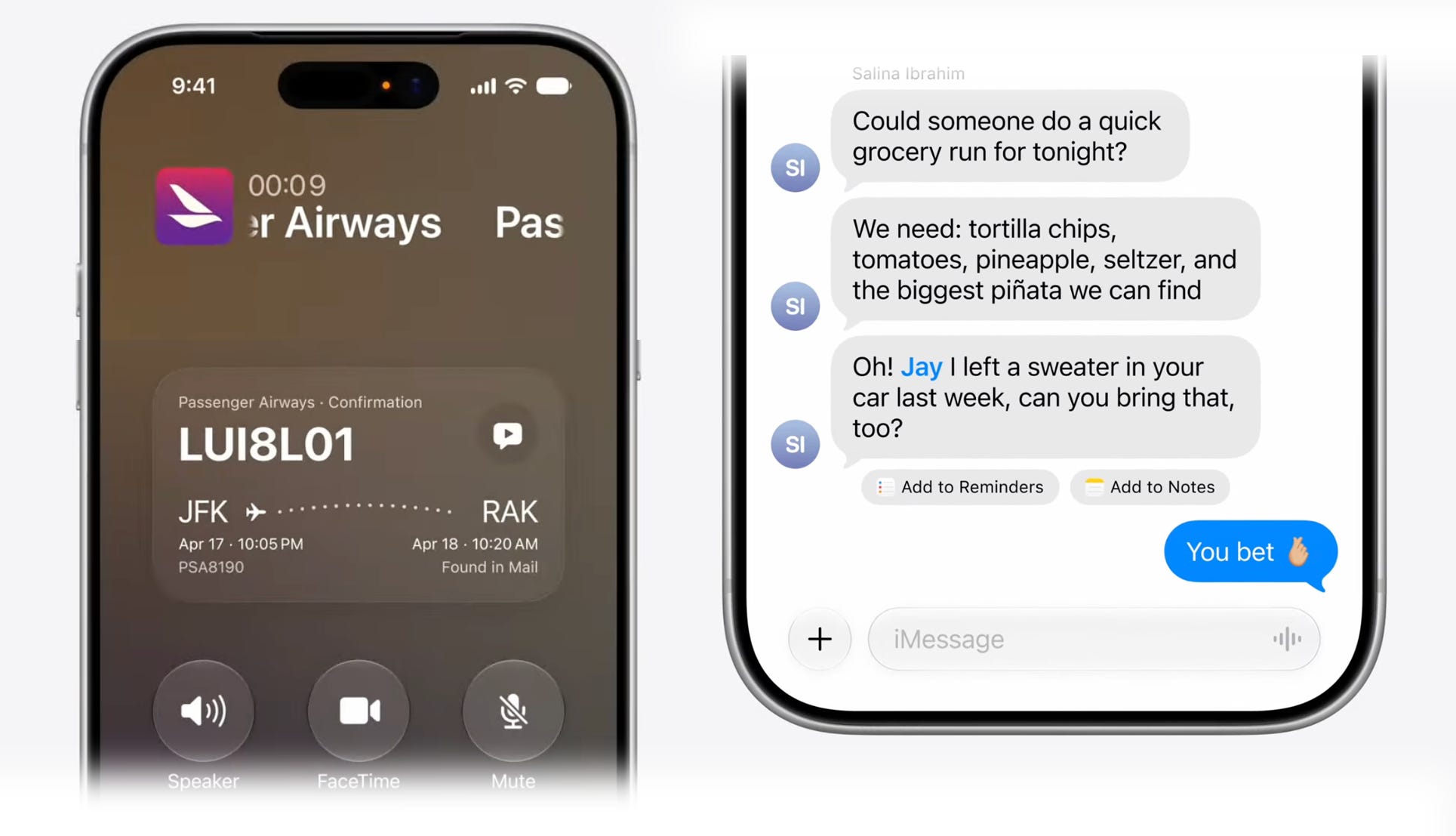
Helpful little AI features are scattered elsewhere in the new OSes. For example, when you’re calling an airline, Siri automatically pulls up your reservation confirmation code from Mail. And when Messages detects a text that might need further action on your part, it offers to turn it into a reminder or appointment.
Visual Intelligence
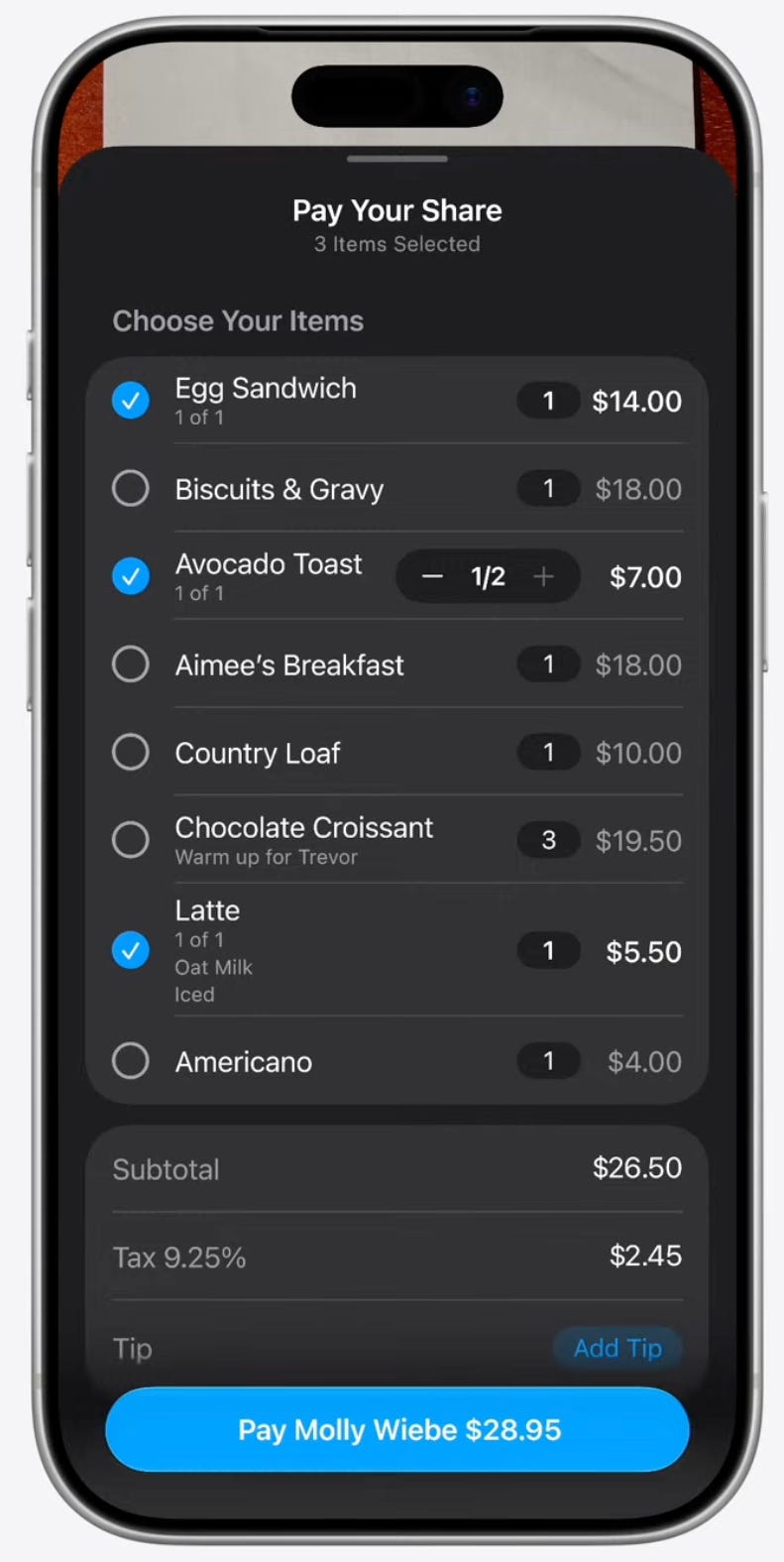
Apple has expanded its AI’s ability to answer questions about photos now, too. You can point your camera at a plate of food—and ask for its nutritional breakdown. Take a shot of a music-festival showtimes poster, add all of the performers’ time slots to your calendar at once. In a photo of a restaurant bill, tap who ate what, and get an instant “share the bill” breakdown.
Siri’s knowledge of your mail and messages comes in handy here, too. You can take a screenshot of a backpack and say, “Will this work as a carryon for my flight next month?” You’ll get an answer.
Photos
The existing Image Playground app now generates photorealistic images of anything you ask for, even if it incorporates real people in your Photos library (as long as you’re not asking for something violent or dirty)—among other style options.

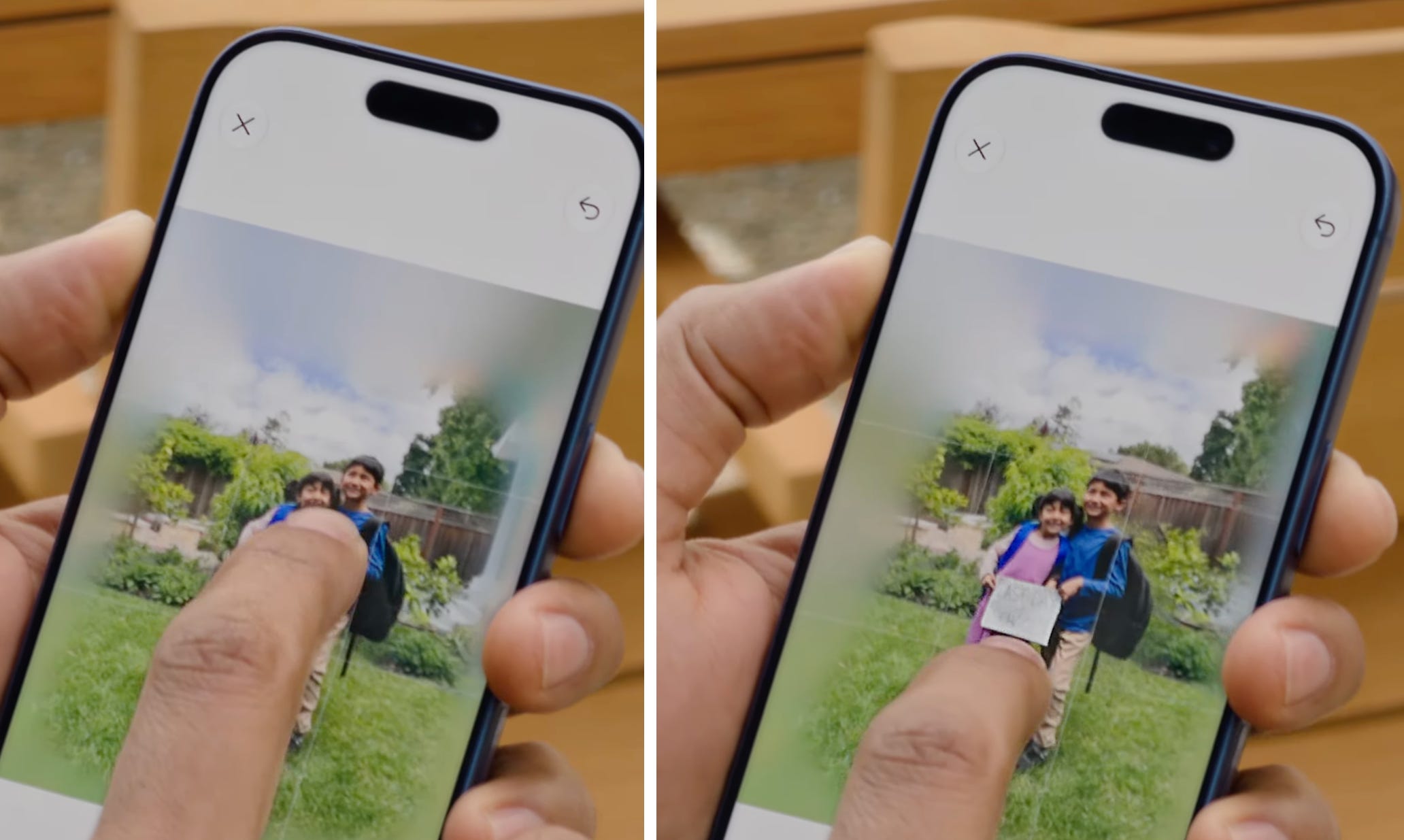
And this is cool: Recent versions of the Photos app have had a Clean Up button, which let you scribble out an unwanted element in your photo.

It was a big hit—and now it’s joined by two more AI-driven options.
There’s Extend, which lets you expand a photo in any direction, even going so far as to turn a vertical shot into a horizontal one. And there’s Reframe, which lets you change the actual angle of the camera on your subject by dragging right or left, up or down. (In this example, the taller kid’s head position is changing relative to the sky.)
Mac OS Golden Gate
The new Siri AI is coming to the Mac, too. In this fall’s macOS Golden Gate, you can type Siri queries right into the Search box.
You can also ask Siri questions about files. For example, suppose you have three PDF proposals from different vendors. You can highlight all three icons and say, “Summarize the differences between these documents and help me pick the best one.”
Otherwise, though, this fall’s version of macOS will offer very few new features. Instead, Apple spent the year just fixing it.
Last year, Apple unveiled Liquid Glass, a major redesign of all its devices’ operating systems. There were shrill cries of complaint in some quarters—most saying that in the name of glitzy design, Apple had sacrificed usability and readability.
“Like with all major design updates, there’s a natural process, where we take a bold leap forward, and then we continue to iterate,” a presenter acknowledged today. “We took care of a bunch of things you’ve been asking about.”
Now, buttons and text are better separated from their backgrounds, and a slider lets you decide how much opacity you want for the button bars.
They’ve also put “additional layers of liquid glass directly into the icon artwork itself.” (I have no idea what that means.)
Here’s what else is in Golden Gate:
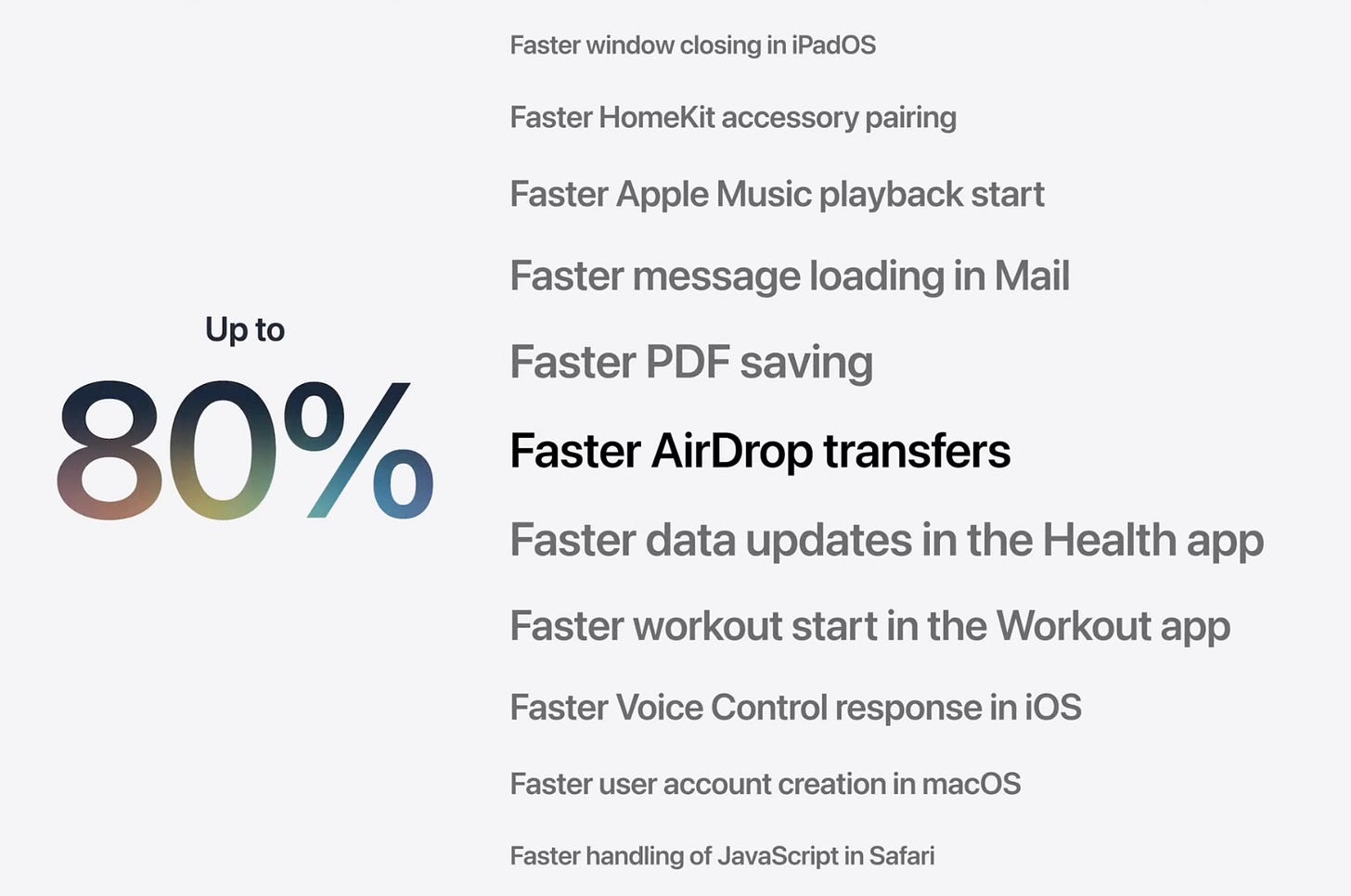
“We optimized the parts of the system that make a big difference in the responsiveness.” Photos you’ve just taken appear in your library 70% faster; sending them by AirDrop is 80% faster.
The phone is smarter about hopping between WiFi and cellular networks. It’s quicker to jump off your plane’s WiFi when you deplane, for example, and resists hopping onto a coffee shop’s strong WiFi as you walk by.
When you’re sending a photo in Messages, it gets its own progress bar, instead of holding up all subsequent texting while you’re waiting.
Photos in shared albums are full resolution—and Android people can add photos.
The Health app now flags if you’re showing signs of perimenopause or menopause.
You can set custom EQ for your AirPods.
In Safari, AI can now organize all your open tabs by topic. Then you can close them all at once by topic, or save them all as a tab group.
The aerial views of major cities in Maps are now photorealistic.

You can tell Siri to notify you when things change on a website. For example, “Let me know when registration opens.” You can close the window; Safari monitors it in the background.
I didn’t really understand this, but you can “Describe an extension” to get a new feature. For rating recipes, or something?
If Siri spots a bunch of your passwords that are weak, or have been in a data breach, it can fix all of them at once. Behind the scenes, it literally logs into each website and goes through the whole password-changing ritual automatically on your behalf—and, of course, memorizes the new passwords for you.
Apple has also upgraded protections for Child accounts. There are better limits to what apps kids can use, what websites they can see, whom they can communicate with, how much time each day they can use entertainment, games, or social media apps, and so on. Here’s the presentation.

At one point, Apple flashed a more complete list of touchups on the screen. Here, as a public service, I’ve reproduced some of the more intriguing bullets:
Dual-camera option in FaceTime
Failed messages automatically retry sending
Save any slideshow as a video in Photos
Save a video frame as a photo
Modify multiple Calendar events
Improved distance accuracy during treadmill workouts
Drawing app in Messages
Faster Lock Screen switching
Customize slideshows in Photos
Section links in NotesMore document formats in Preview
Drawing in Notes in macOS
Control Center access in iPhone Mirroring
Better battery efficiency on Apple Watch
Faster message loading in Mail
Automatic punctuation on multilingual keyboards
More consistent window positioning across external displays
Smoother scrolling in App Library
Smoother unlocking on iPhone
Find offloaded media in Messages
Ethernet status in menu bar in macOS
Improved Wi-Fi connectivity in watchOS
More accurate route maps in the Fitness app
Switch between two iPhone devices with the same phone number
Content-based recipient suggestions for sharing photos and links
Album organization improvements
Optional persistent menu bar on iPad
Lock Screen consistently stays awake while scrolling notifications
Extra-large widgets in iOS
Search within shows in Podcasts
Improved navigation heading and GPS accuracy
Independent alarm volume
Smoother camera switching when zooming in video
Improved FaceTime quality on poor connections
Swipe down to refresh in macOS apps
App names in iPad status bar
Thumbnails displayed for offloaded media in Messages
Search for conversations in Messages by phone number or contact nickname
Improved list formatting in Mail
Star ratings in Photos
Consistent corner radii
Easier card selection and payment management with Apple Pay
Faster AirDrop recipient discovery
Autosize and reset columns
Drawing in Freeform in macOS
More high-resolution and high-refresh-rate display modes for external displays
Redesigned settings in the Apple Watch app
Support for time zone changes in Sleep
Divider lines in Notes
At some point, yes: It’s more important to make the software you have faster, smoother, and more polished… than to introduce yet another redesign. I wholeheartedly endorse these “pause and fix it” years.
Coming from behind
When Apple’s PR image took a huge hit for its slow start in AI, Tim Cook reassured us that it would be temporary. “In the longness of time,” he said of the brouhaha, “I don’t think it will be even a footnote.”
Of course, Android has already had many of these features for some time. Apple has been way behind the curve.
But Cook is right. The global population is carrying around 2.5 billion Apple devices at this moment, and it’s not easy for them to change platforms, from iPhone to Android or vice versa. You’ve already bought your apps, equipped yourself with accessories, learned to use one company’s interface elements.
In other words, Apple has a long runway for screwing up before it starts to lose customers.
It may have taken two years, but it sure looks as though Apple has finally gotten its AI game plan shipshape. After two years in the wilderness, the new, AI-driven Siri is finally coming home.
I can easily see half a dozen or more of these new features directly improve my workflows. There are lots of websites I’d love to monitor with RSS that don’t have a feed. The more intelligent switching from Wi-Fi to mobile networks is really welcome. What’s best about all those improvements is they stay in the Apple ecosystem rather than require me to subscribe to other services. The deep search that works will be really welcome as I had high hopes for Google NotebookLM but that has proven to be slow and limited even on the paid tier. These new features will justify a faster laptop and for the first time I’ll probably get on the beta.
There were several “but moments” in the presentation. So as of today Siri is not yet fixed. As a user waiting for Apple to get Siri actually working, I hope you are right. Meanwhile, I will wait and see.