
Microsoft’s Design Chief: Simple is Hard
Plus: Apple features you asked for—that already exist

Earlier this week, I asked my followers to report bugs they’d found in Apple’s software. 700 of you responded—but not by sending me bugs. Most of you sent, instead, feature requests and design gripes.
Those two things aren’t so different, actually. Over the years, Apple, Google, and Microsoft have stuffed tens of thousands of features into their software. Of course they have. How else will they persuade you to upgrade to their next software versions?
But inevitably, it becomes harder and harder to find a feature you want. Further inevitably, people wind up not even knowing they have features they want.
Here, for example, are nine features you said you wished you had in your Apple products—that already exist:
“Finder windows don’t have a folder-address bar.” —David
They do, in fact. Choose View > Show Path Bar.
“I wish I could sort Notes by name, or search within a note.” —Renee
You can! To sort Notes alphabetically on the Mac, choose Notes > Settings > Sort notes by: Title. On the iPhone, tap Settings > Apps > Notes > Sort Notes By: Title.
As for searching within a note: It’s Edit > Find > Find (on the Mac). On the iPhone, tap the … button (top right) and choose Find in Note.
“Why can’t Apple add a Send Later option for text messages?” —Anne
Apple has already added it. Tap the + button next to the typing box.
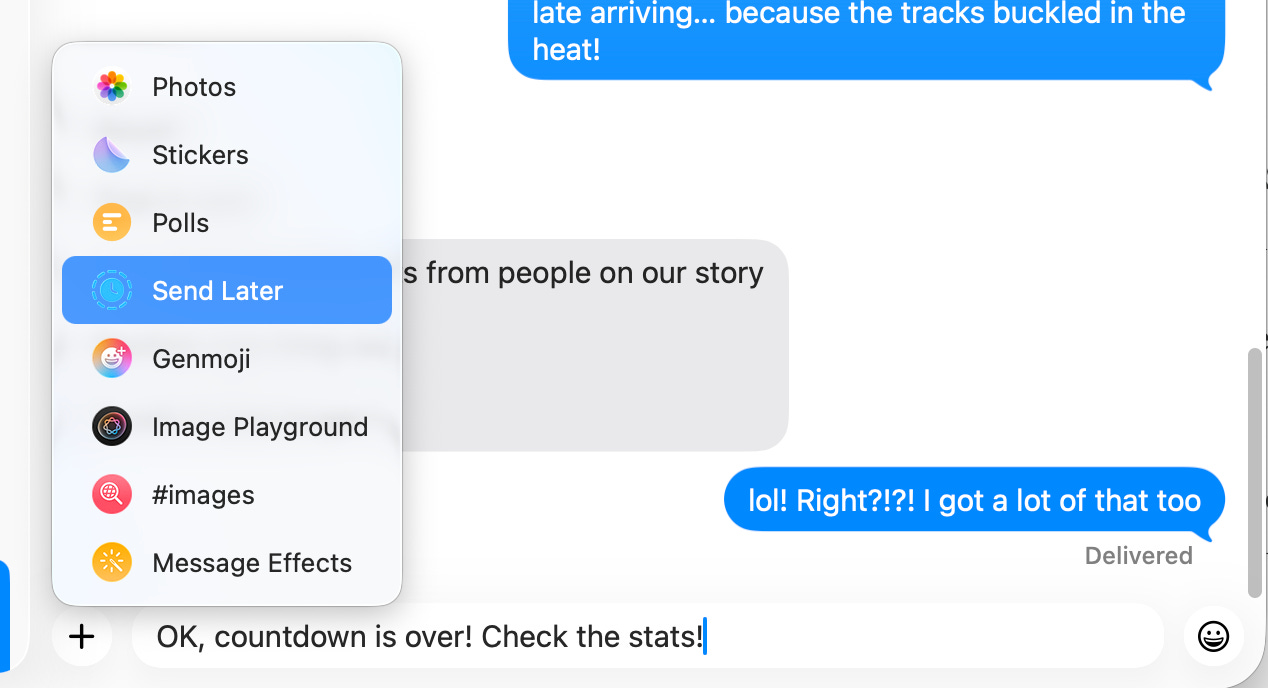
Tom Smith, however, points out that Send Later is not an option when you’re sending a text to yourself. That seems like a bug.
[UPDATE: When I message my own phone number, I do get the Send Later option. When I message my email address, I don’t.]
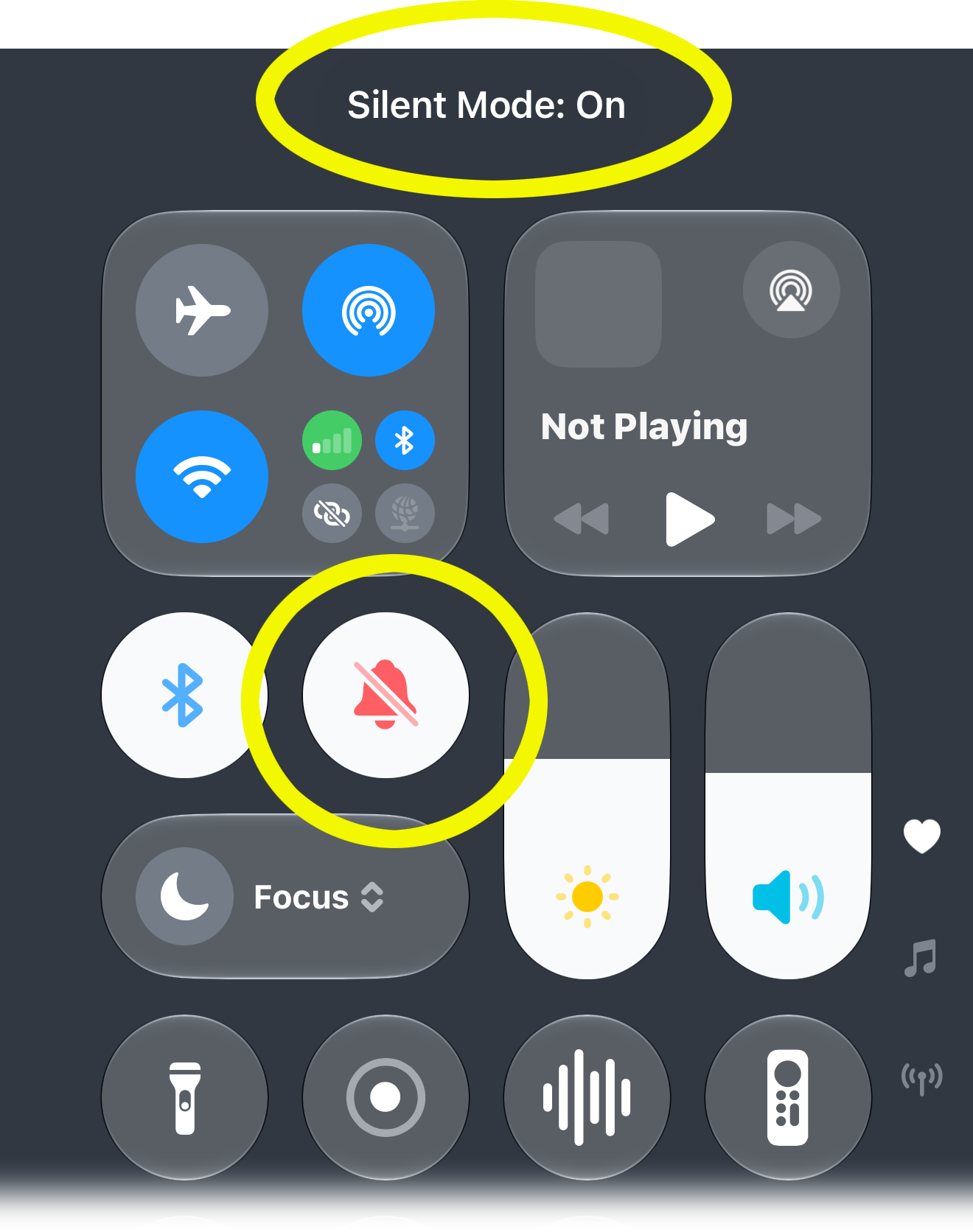
“When wearing an Apple Watch, there isn’t an option to have calls ring the iPhone.” —Bill
In my tests, the phone does ring—as long as it’s not silenced. My guess is that your ringer is off. (To check that: Swipe down from top right to open the Control Center, and check this icon.)
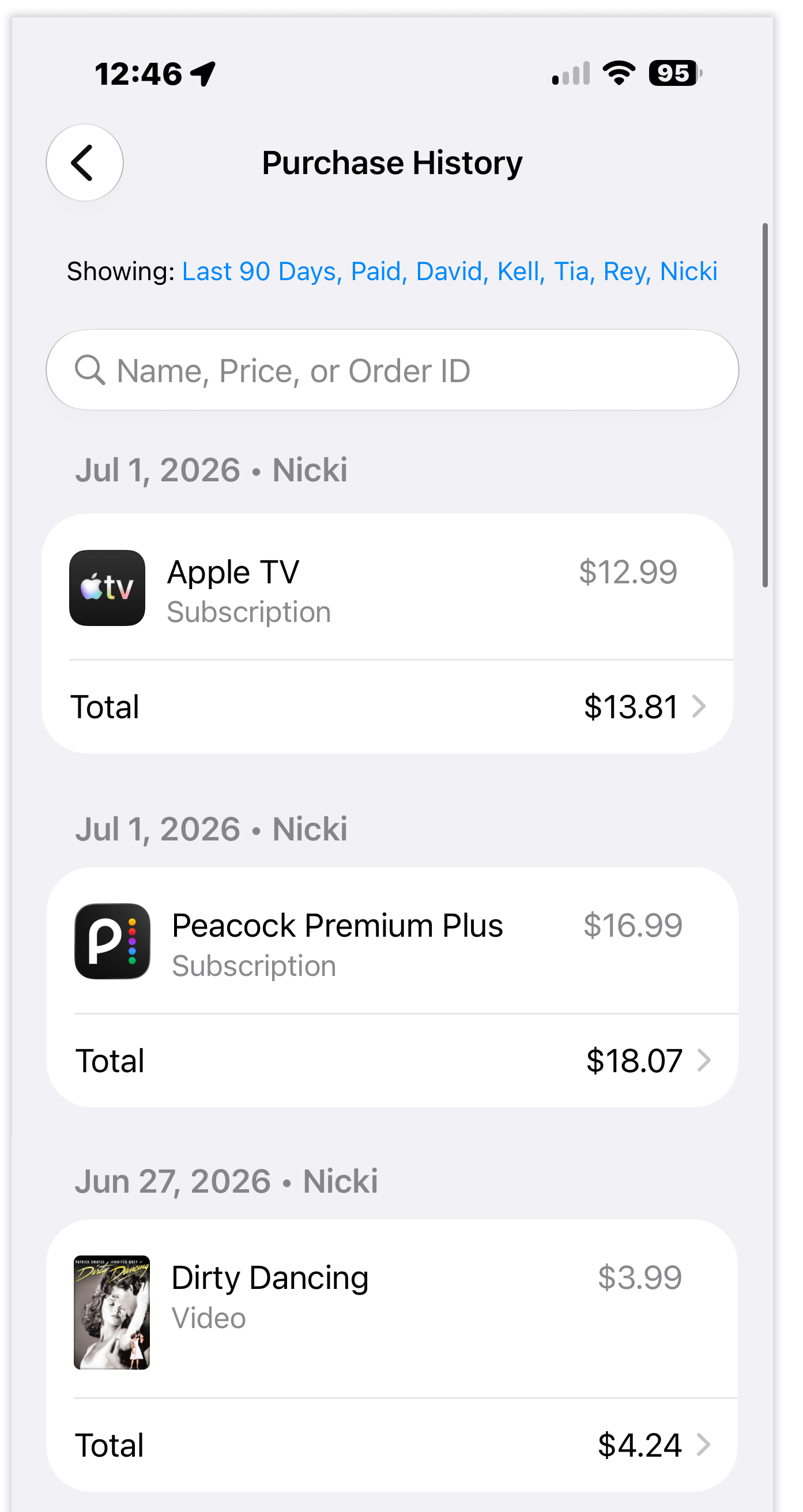
“I get emailed receipts from Apple, but they just say ‘$9.99’ or whatever. They don’t say what the charges are for! I wish they could add a simple list showing what I’ve spent.” —Zoe
Open the Settings > your name at the top > Media & Purchases > View Account > Purchase History. There’s your tidy explanatory list.
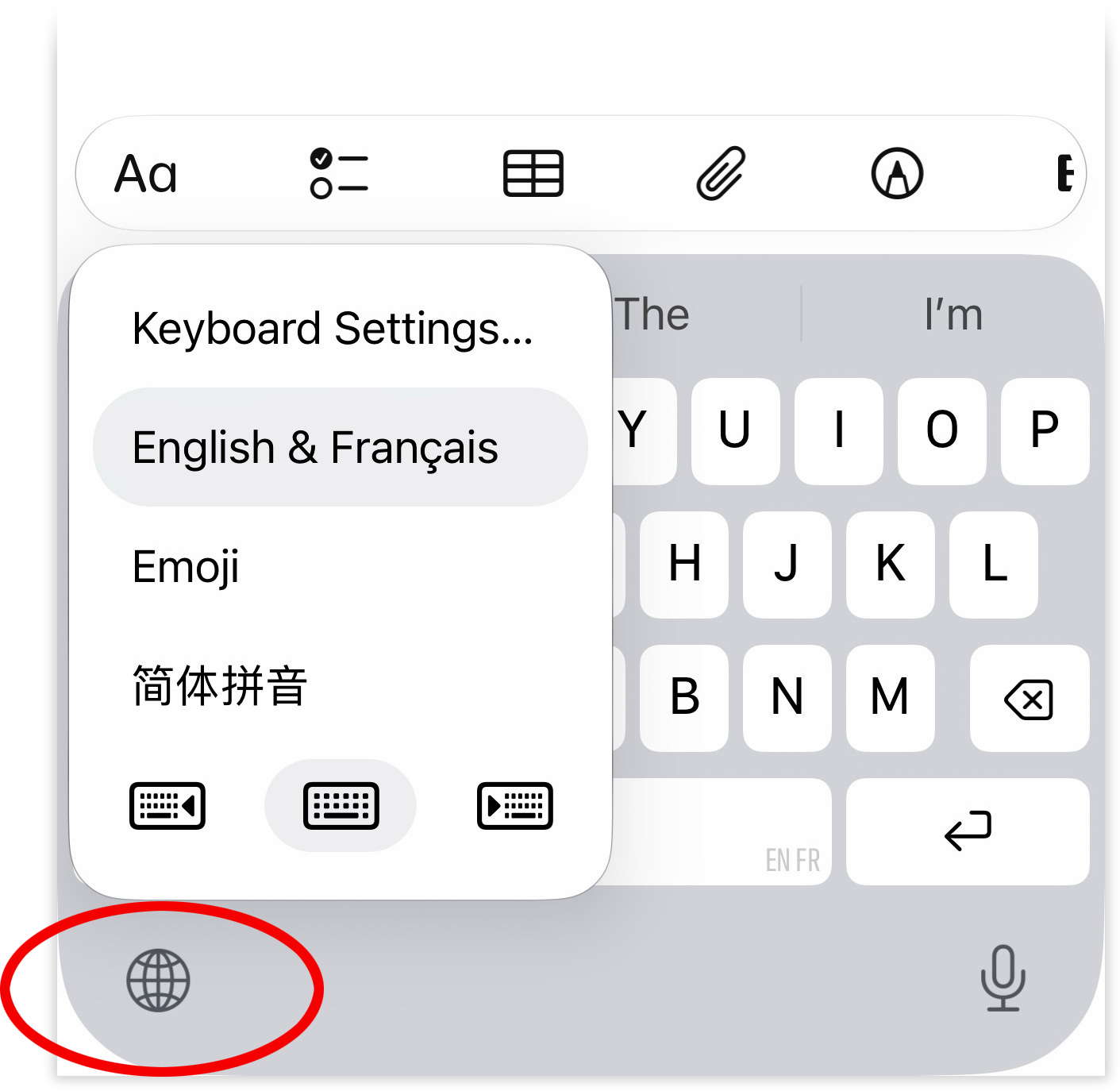
“If you set up your iPad keyboard for different languages, then you cannot access emojis through the keyboard.” —Darrell
Yeah, you can. Hold down the globe icon (don’t just tap) to reveal a pop-up menu. Choose the Emoji keyboard.
“I can see the battery charge on my watch on my phone, but I can’t see the charge on my phone from my watch.” —Robert
You can. Just open the Find Devices app on your watch. (“Siri, open Find Devices.”) There’s the icon for each of your other Apple machines, complete with battery graph.
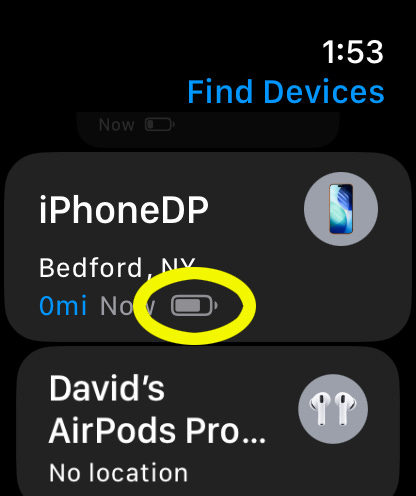
Or install this app on your watch.
“The iPhone won’t let me easily type things like bein’ and rainin’ and will autocorrect by adding a G. Why doesn’t it understand this normal English usage? Autocorrect is WRONG, man.” —Walter
The iPhone’s autocorrect feature relies partly on a list of all English words. The solution, then, is to add bein’ to that dictionary, so that it’s treated as a legitimate word. You do that by refusing the autocorrection a time or two.
Suppose you intend to type, “He’s bein’ stubborn.” After you’ve typed bein, stop. You can see that Autocorrect plans to change it to being. Don’t let it. Instead, tap the first of the three autocorrect choices to insist that you know what you’re doing. You’ve just added bein’ to the dictionary, training it.
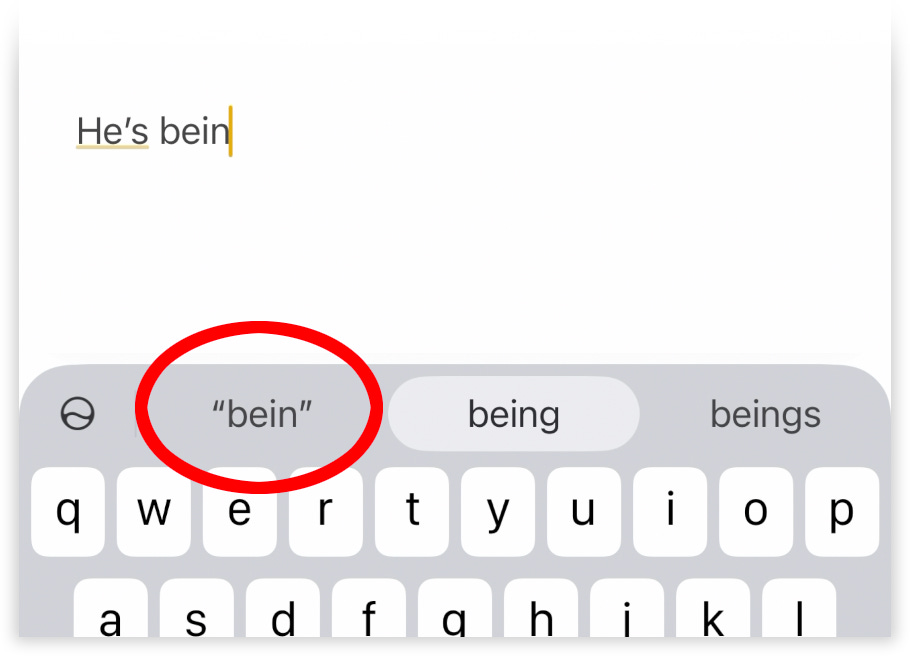
The next time you type bein’, Autocorrect won’t step in. (Occasionally, it takes two such trainings to make a new word stick.)
This is also, by the way, how you override the phone’s attempt to change swear words to, for example, “duck you.” :)
“They seem to have done away with the Block Sender feature in email.” —Ursula
It’s still there. On the Mac, in Mail, click the little V beside the sender’s name and choose Block Sender.
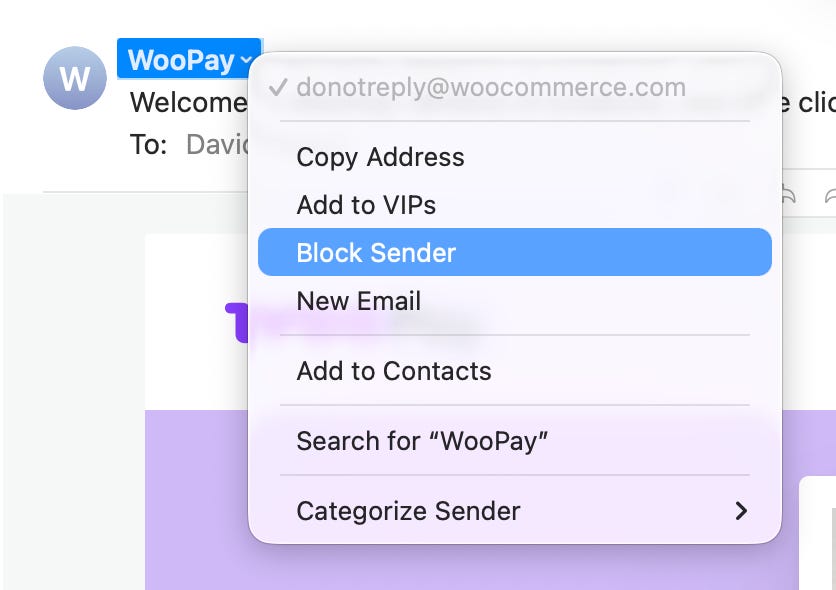
On the iPhone, tap the Reply arrow button at the bottom of the email and choose Block Sender.
And one final word:
If you are suffering in silence because some feature doesn’t seem to exist, here’s a suggestion, which I hope doesn’t come off as patronizing: Google it.
Why features get buried
Two years ago, I reported a “CBS Sunday Morning” story about the increasing complexity of software. I interviewed Jon Friedman, head of design and research at Microsoft. He impressed upon me the difficulty of simultaneously delivering the two things the public says it wants: More features, but less complexity.
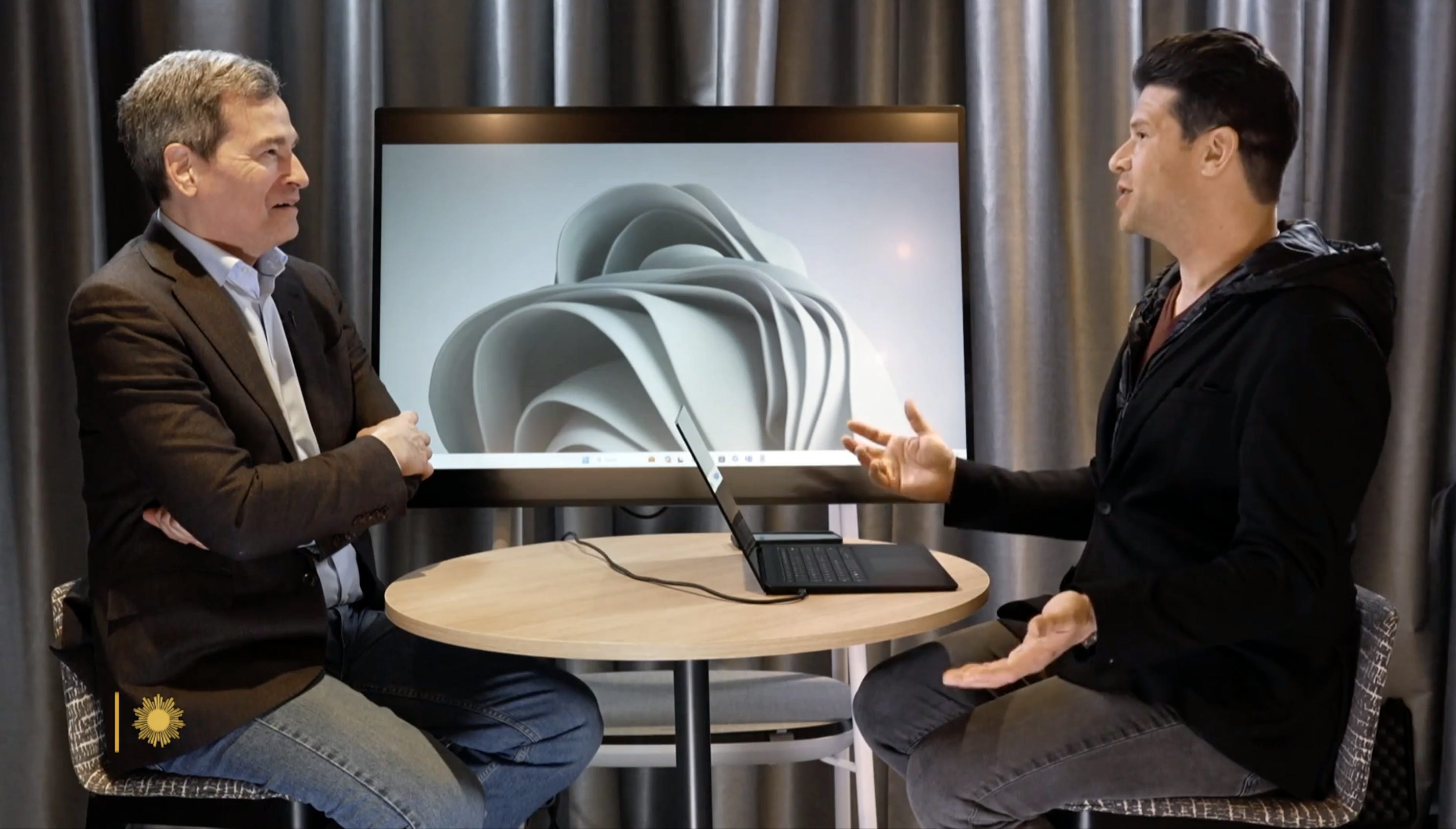
POGUE: Can we all agree that over time, our tech products become more complex?
FRIEDMAN: Yeah. Over time, more features get added to things. And as more features get added to things, there’s more depth, and power, and potential complexity to deal with in the design.
POGUE: Does Microsoft have its thumb on the feelings of the public? I mean, do people actually say, “Could you add this feature?”
FRIEDMAN: We get both. We get, “Could you add more?” “Could the product do this thing that it doesn’t yet do?” And then we get, “And can it be simpler? Can I get to it more easily?” And so the job of a designer is incredibly hard. This is the conundrum we have to deal with. How do we take the power of what can be added to products as technology gets better and make it really simple for people?
POGUE: Has there ever been a time when Microsoft said, “Okay, fine. We’ll give you a word processor that doesn’t also make databases, and spreadsheets, and webpages?” What would happen?
FRIEDMAN: With Write, that’s exactly what we did. [Microsoft Write was a 1985 word processor, like Microsoft Word but without all the extras. It failed commercially.] It was one size fits all. And that’s really hard. Simplicity can only come when it’s truly adapted to each individual’s definition of what is simple for them.
I’ll tell ya the amazing thing about people. Your simplicity is different than my simplicity.
POGUE: How do you mean?
FRIEDMAN: Well, there’s probably some, you know, 10% of features that I might use in a product like Office. And it’s a different 10% than you use every day. And so, “simple” to you is actually almost like a different set of features in a product than it is for me.
POGUE: That’s a huge lesson that might not occur to most people. Like, if you put ten complainers about complexity in a room, one person might say, “I don’t need all that stuff. I just want these three things and that’s it.” But the person in the next booth might say, “I don’t need those three things. I need these three things.”
FRIEDMAN: That’s essentially what we hear every day.
POGUE: A Microsoft Office product manager once told me that something like 90% of the feature requests were already in the program. Does that sound familiar?
FRIEDMAN: That sounds about right. (LAUGH) This is not a new problem. It happens over and over again.
Maybe there’s hope, though. Friedman predicts that the software-frustration problem will ease up in the age of AI. Soon, you’ll be able to ask the new, AI-based Siri (on Apple products) or Copilot (on Microsoft products) to do something for you, without knowing how to do it yourself.
FRIEDMAN: This is why I’m most excited about AI and large language models right now. ‘Cause AI has the potential for us to adapt to each individual the UI that they need, the content that they need—to bring features forward that they didn’t know were there, because they might be hidden or deep inside of the product. And so I think for the first time ever, as designers, we’re looking at a world where computers can truly adapt to each individual.
POGUE: So if the program sees me struggling to do some task, it might figure that out and say, “Here. Let me help you?”
FRIEDMAN: Yeah, or it can do that task for you. And then you can say, “How’d you do that?” And it can teach you how.
David it's amazing that you're gifting us with fully reported, greatly written and amusing pieces that people have paid you handsomely for in the past. Kudos to you!
Very interesting. Seems to me several factors are in play. We all have different learning styles. Meeses saved my bacon. If I still had to learn keyboard shortcuts I might have abandoned computers.
There’s no consistency in user interfaces or graphic depictions of certain features or commands. How about the triple tap or five fingered swipe. Sorry, I sure didn’t see that coming.
Your examples of native features versus requests illustrates the confusion caused by “buried” features. I’m thinking a HAL human-machine interface might solve most issues. “Sorry, Dave, I can’t do that.”